How to Use Visual Supports in the Classroom
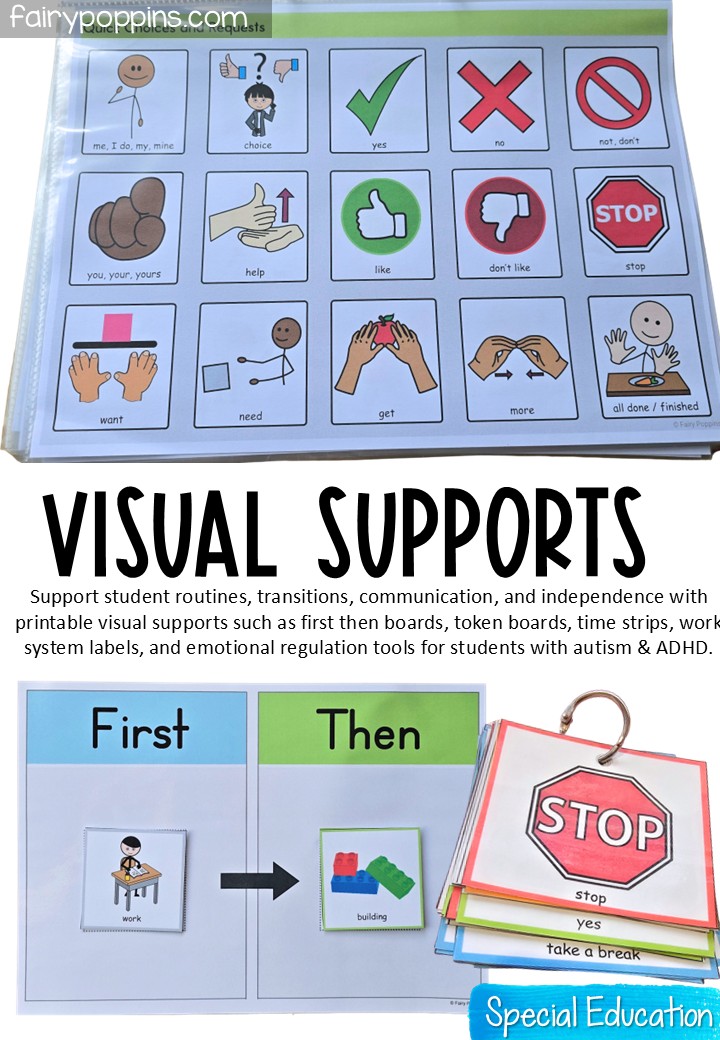
If you are looking for simple ways to support routines, transitions, communication, and independence in your classroom, visual supports can make a big difference. They are especially helpful for many autistic students, students with ADHD, and other learners who benefit from clear structure and visual prompts.
In this post, I am sharing a simple overview of how to use the resources in my Visual Supports Bundle, which includes my Editable Daily Schedule and Visual Supports Pack. These resources are designed to help teachers create a calm, structured, and supportive learning environment in general education, special education, intervention, and homeschool settings.
Where possible, I have used Smarty Symbols to support clear understanding with simple, consistent visuals. Smarty Symbols® images are copyrighted and are used with permission under license. The remaining clip art has been selected to keep the resources practical, student-friendly, and easy to use across different classroom settings.
Why Use Visual Supports?
Visual supports help make expectations more concrete. Instead of relying only on spoken directions, they give students something clear to look at and refer back to. As a result, they can help reduce uncertainty, support communication, ease transitions, and build independence.
Some students may benefit from a full daily visual schedule, while others may need a First Then board, token board, time strip, or work system for specific parts of the day.
Start with a Daily Visual Schedule
First, a daily visual schedule is often one of the best places to begin. It helps students understand what is happening throughout the day and what comes next.
You might choose to use:
- A whole-class wall schedule
- A pocket chart schedule
- A desk strip
- An individual student schedule
Because the schedule cards in this bundle are editable, you can create a matching system for both teacher and student use.
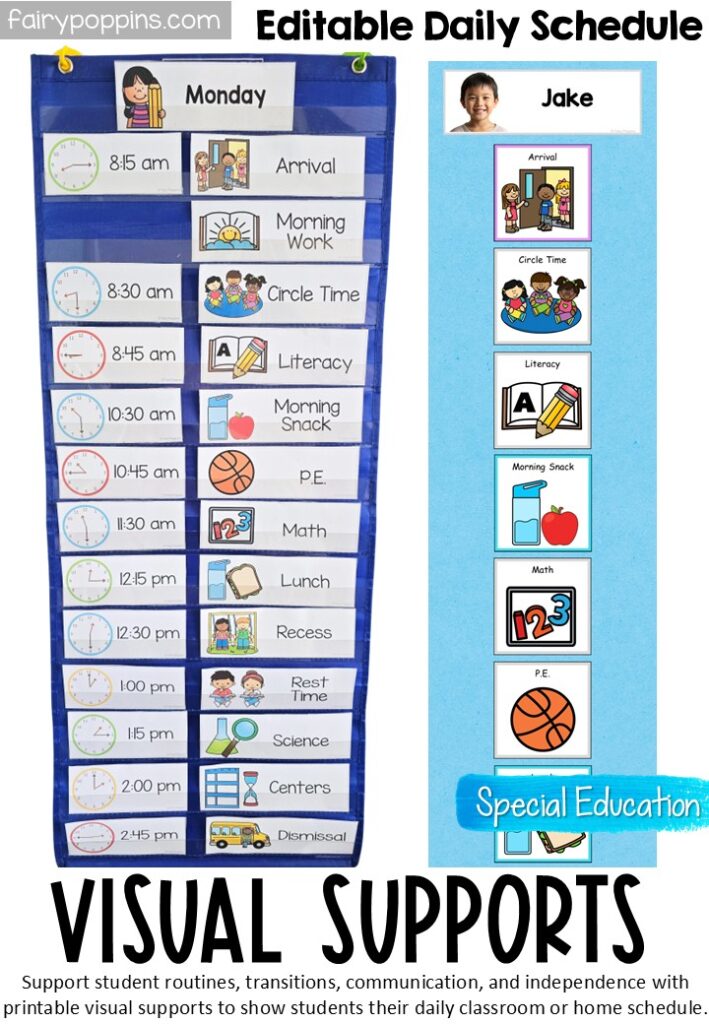
<<Find these Editable Daily Schedule printables here.>>
Use Communication Visuals to Support Understanding
Next, communication visuals can help students express their wants, needs, and feelings more clearly. This can be especially helpful for students who need support with communication or who benefit from visual language prompts.
These visuals can be used for:
- Asking for help
- Making choices
- Requesting a break
- Saying “all done”
- Expressing likes and dislikes
- Building simple sentences such as I want, I need, and I feel
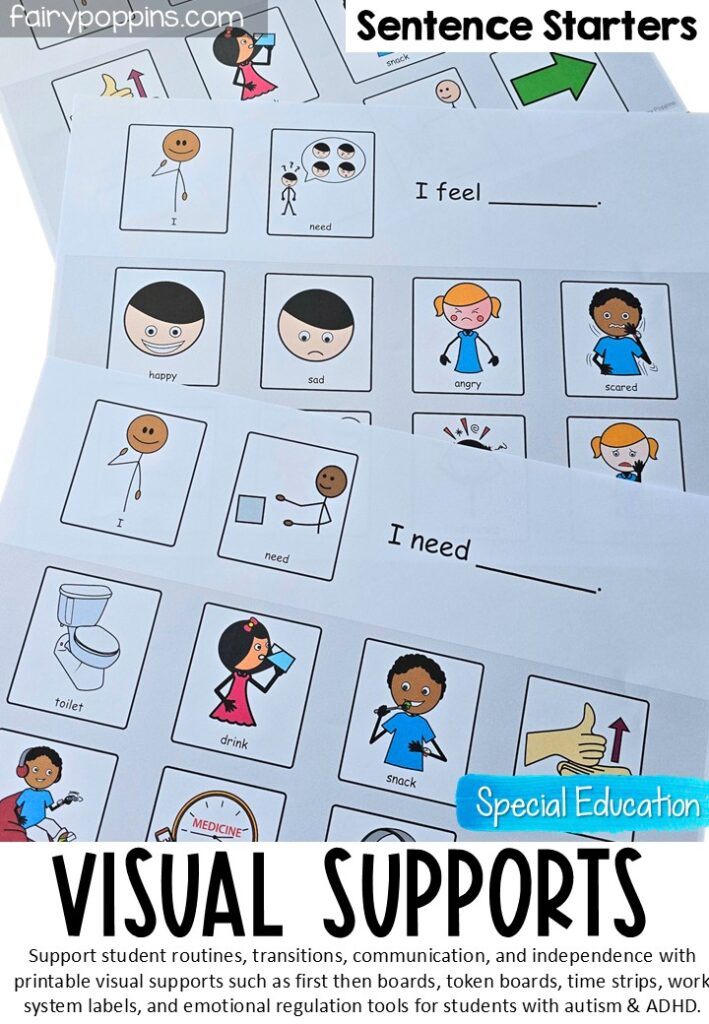

<<< Find these sentence starters here>>
You can keep these visuals in a communication book, on a key ring, at a table, or in a calm corner so they are easy to access throughout the day.
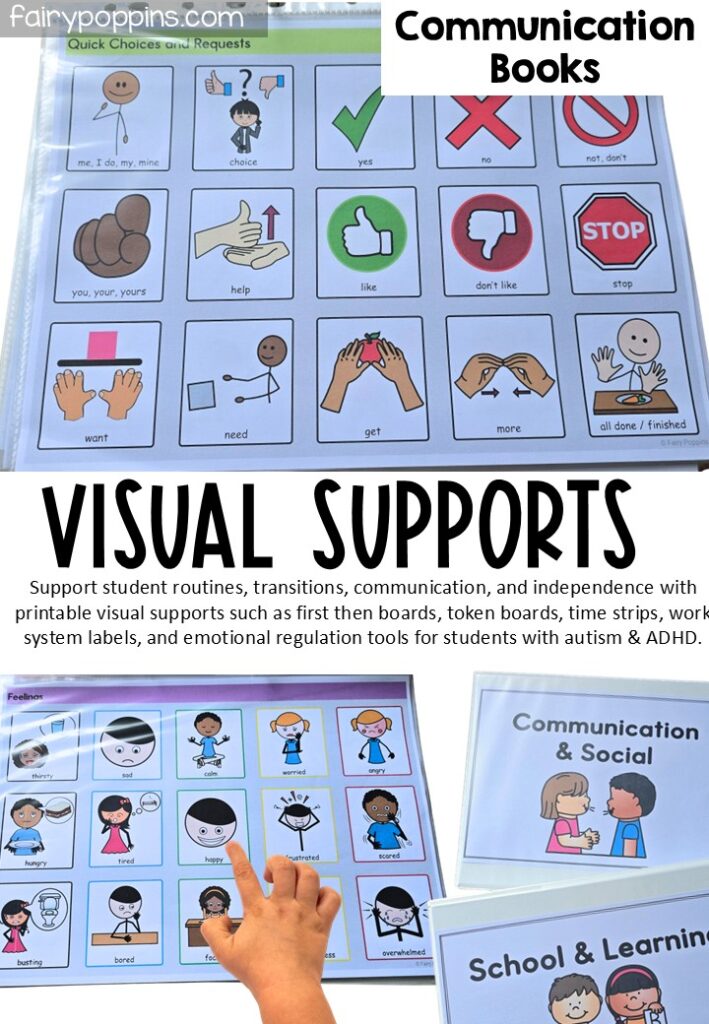
<<< Find these communication books here>>
Use a First Then Board and Token Board
A First Then board helps students understand what they need to do first and what comes next. For example:
First: work
Then: building
This can be especially helpful during transitions or less preferred tasks.
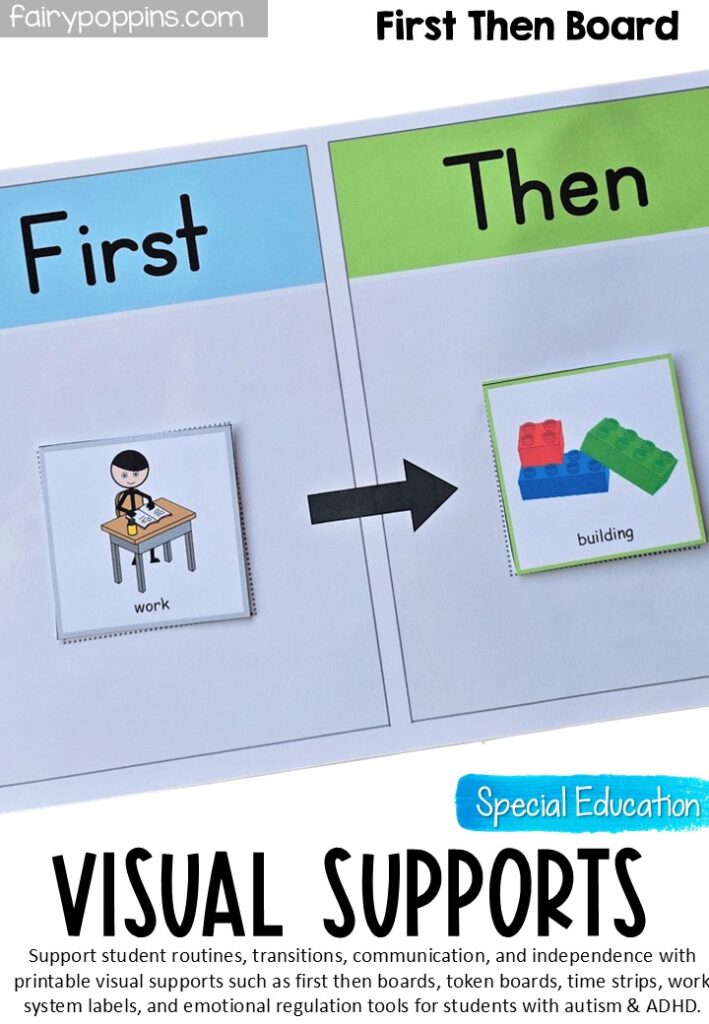
<<<Get this First Then Board here>>
Similarly, a token board can be used to support motivation and reinforce progress. The student receives a token after completing each task, work chunk, or time block, depending on how the system is set up. Once the token board is full, the student earns the reward.
Teachers may use these supports separately or together. In many cases, the First Then board shows the sequence, while the token board reinforces effort.
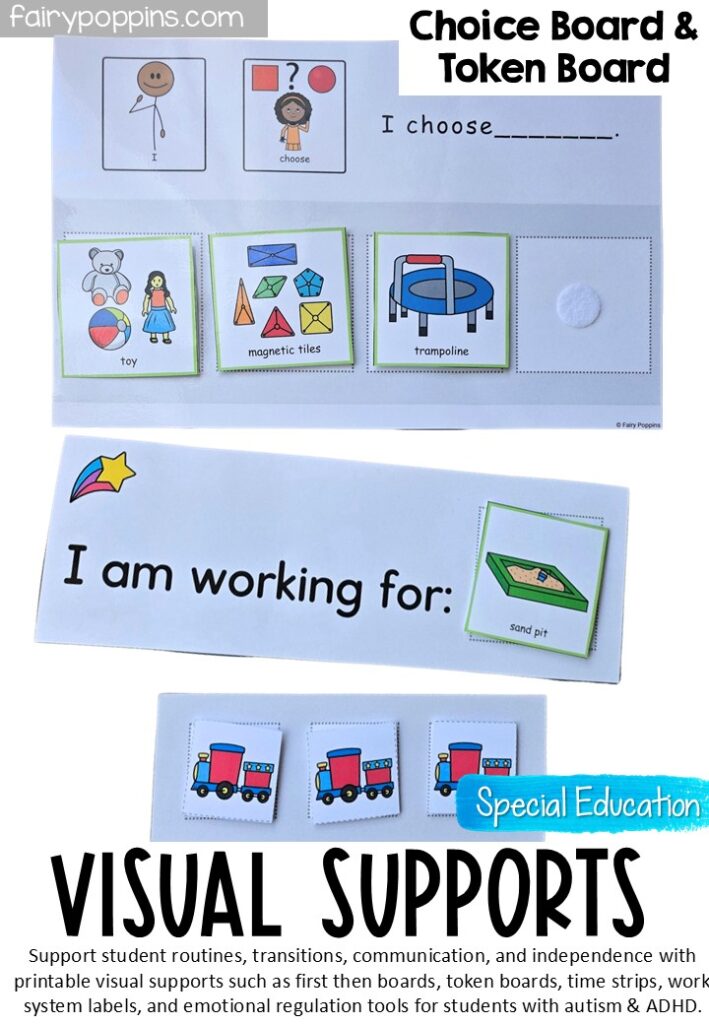
<<< Find out more about these choice boards & token boards here>>
Use Time Strips to Show the Countdown
For some students, time can feel abstract. Therefore, time strips can be a helpful way to make time easier to understand. They show how much time is left using clear visual blocks or a countdown.
For example, 1 block = 2 minutes.
Teachers may pair time strips with a sand timer or another visual timer to help students see the countdown and stay on task.
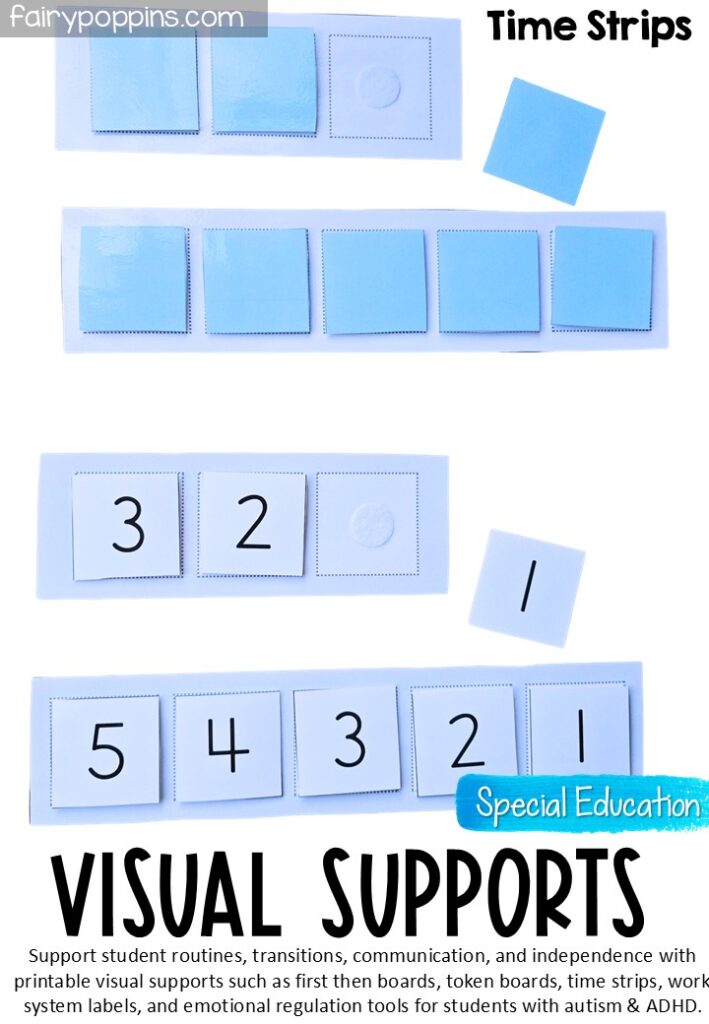
<<<Grab these time strips here>>
Set Up a Simple Work System
A work system helps students understand:
- What work to do
- How much work to do
- When they are finished
- What happens next
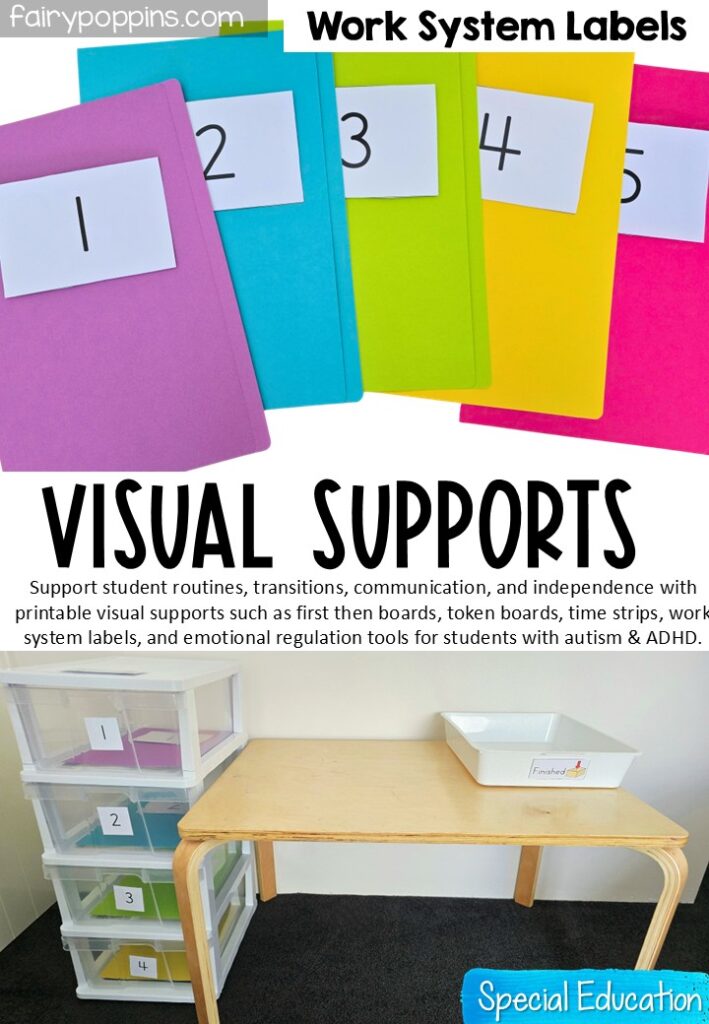
To set up a simple work system, place the tasks on the left and have the student complete them in numbered order. Then, the student places each finished task in the finished bin or on the right. If you are using a token board, the student can earn a token after each completed task.
This type of setup can be especially helpful for independent work, morning work, and table tasks.
Include Emotional Regulation Tools
Visual supports can also help students identify emotions and understand what they can do when they are feeling overwhelmed, worried, frustrated, or upset.
You might use:
- Feelings charts
- Feelings check-in scales
- Visual emotion cards
- Regulation prompts
- Break cards
These tools can be used during a morning check-in, in a calm corner, during one-on-one support, or as part of a behavior support plan.
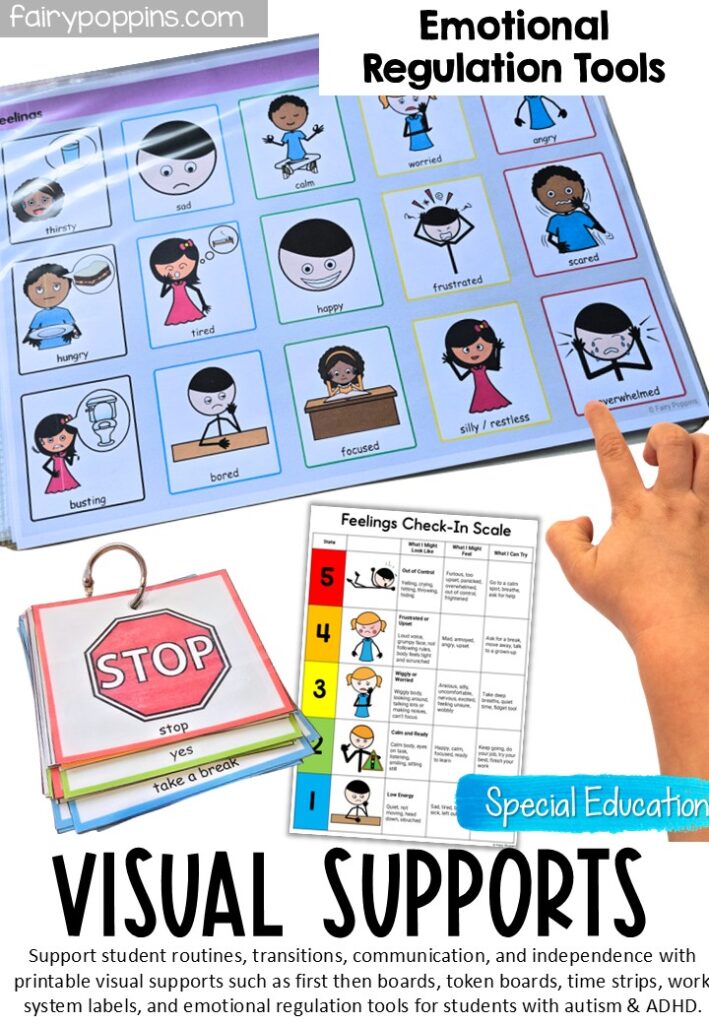
<<<Grab these Emotional Regulation Tools here>>
Tips for Getting Started
If you are new to visual supports, it can help to start small. Rather than setting up everything at once, begin with one or two supports that meet your students’ most immediate needs.
For example, you might start with:
- A daily visual schedule
- A First Then board
- A token board
- A few communication visuals
In addition, it helps to:
- Keep the visuals clear and consistent
- Use the same language across supports where possible
- Model how to use them
- Refer to them regularly throughout the day
- Laminate and use Velcro where needed for durability
A Simple Place to Start
Visual supports do not need to be complicated to be effective. Sometimes, a simple visual schedule, First Then board, token board, or a few communication visuals can make a meaningful difference in helping students understand expectations and feel more successful during the school day.
Visual supports are often used for autistic students, but they can also be helpful for many different learners, including students with ADHD, language delays, learning difficulties, and young children who are still learning classroom routines. Because they provide structure and clarity, visual supports can work well in both general education and special education settings.
If you are looking for some practical tools to get started, I hope this post has given you a helpful overview.
>> Take a look at the full Visual Supports Bundle here.<<